Showing posts with label blogger. Show all posts

Tuesday, October 8

Creating a blog

Today we are going to create your class blog.  There are several things that you need to keep in mind as we create your class blog:
  1. There will be no games are on your blog, and you therefore will not be playing games on your blog during class (if you don't know how to put widgets on your blog that have games - good!  If you do know how to do it - don't!)
  2. Class time is not time to make changes to your blog.  If Mr. Pardoe specifically gives you time to work on your blog you may do so...otherwise it is not a "toy" that you play with in here.  
  3. Everything you put on your blog must be school appropriate!
  4. Once the semester is over you can do with your blog what you want.  You are the owner/creator, so you have full power to use it as you wish (continue to use it for whatever purpose or completely delete the blog). 
Any violation of rules 1-3 above will result in you losing 10% of the next assignment that is due the first time, 20% the second time you are caught, and anytime thereafter you will lose 50% of the next assignment due.  That being said, let's go to www.blogger.com to get busy creating your blog!

Monday, March 4

Vocab week #5; Create a blog

This is week #5 for the vocab lists - the list for this week is all about the Internet.  We will check to see whose week it is to post definitions.  Remember...definitions should be posted by Tuesday!  I've been fielding a lot of questions regarding getting a zero for wikispaces assignment.  If you don't post a definition for your vocab words that you are responsible for, then I have to, and I can't give you credit for work you haven't done.  Also, if you do not post your definitions there is no possibility to post them late - you will either receive 5 points for posting the definitions or 0 if you do not post them.

Today we are going to begin creating your blog.  We will need to go to Blogger's website - www.blogger.com.  This is going to allow you to be creative to a certain degree, but we will also have some assignments that will be required to be posted to your blog.  Since we are doing this at school you will have a few rules you will have to follow:

  1. Your blog will need to be school appropriate at all times
  2. There will be no games on your blog
  3. You will open your blog (or be on your blog) ONLY when you are told to.  You will not be on your blog changing designs or posting information (or for any other reason) without permission.
Also, we are going to institute a new Citizenship grade.  I am going to give each of you points, and every time you do something that you should not be doing you are going to lose some of your Citizenship points.  For example, if you are in Google Chat you would lose Citizenship points because you should NEVER! be in Google Chat during class.  If you are searching in Google when we are typing out of the book, you would lose Citizenship points.  Being a good citizen means doing things right even when no one is looking - for example, you don't walk out of Wal-Mart with a candy bar that you didn't pay for just because the person at the cash register can't see you take the candy bar.  


Wednesday, September 12

Finish Xtranormal movie; create your blog; practice

REMINDER - Friday is the vocab quiz over word list #2.

You will have the entire hour today to complete your movie in Xtranormal.  As I have mentioned several times...use the rubric on the Internet Safety page to guide you in completing the movie in a fashion that will help you earn the maximum points for this assignment.  Once you are done with your movie, and you are absolutely sure that you are done editing, you may publish your movie.  *Caution* - once you publish your movie you can no longer make any changes to it!!  You need to have your movie done and published before tomorrow's class period - we will be going over how to embed your movie on your blog.

Which leads me to the next item - you need to create your own blog.  Below is a video that will guide you in creating a blog on Blogger (which is where the class blog is "housed").  It really is not a difficult process, but it is something that everyone will need to do.  If you have a Google account (which all of you do), creating your own blog is pretty simple.


In addition, here are 2 links that may also help you get your blog up and running:
Blogger instructions
About.com instructions to create a blog

Once you have finished creating your blog (some of you completed this yesterday so you are starting at this point), you have practice to do in Word.  Here's what you need to do:

P. 6, 2E, all lines
P. 7, 3C, lines 3-8
P. 8, 3E, lines 7-10

If you get this done print it out and show me.  Then you can go to the following website to practice:
Free Typing Games.  While there you should ONLY! be working on Lessons of keys that we have learned so far.

Thursday, January 12

Blogger

I have several "house keeping" items I need to go over before we start working in class.
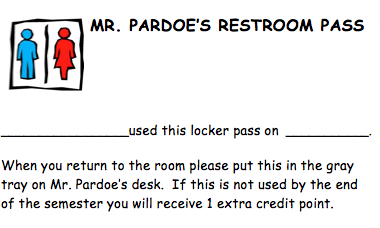
  1. You will be allowed to exit the classroom for the bathroom twice during the semester; and you will also be allowed to go to your locker twice during this semester.  Each time you go, you need to take a form with you.  When you return you will need to fill it out and put it in the gray tray on my desk.  Each pass is an extra credit point at the end of the semester, so if you do not use them you will get extra credit.

  2. We will be starting next week with a seating chart - just thought I'd let you know.
  3. Accessibility rules - no chatting (in Gmail or any other place), no games (that includes embedding them on your blog - and the fish swimming around eating fish food is a game), use the software programs I ask you to use, nothing else.  You should not be on any websites that you are not told to be on.  Searching in Google when you have been told to be on the class blog is a violation of classroom rules.  
First thing today will be to learn the O and the T keys on the keyboard.  As we continue to learn new keys we will always be reviewing the rest of the keyboard.


Today we are going to create your blog on Blogger.  This is the same website that hosts the class blog, so it should look very familiar.  The purpose for creating your blog is many-fold.  Some of what we are going to be doing is learning to correctly use a blog.  But we will also be posting assignments on your blog, and we will also be keeping a weekly journal on your blog as well (this is something we will be doing this week, in fact).  We just covered the Computer Lab Policy, so you should know exactly what you can and can't do.  In any case, the blog will become an important aspect of what you accomplish in this class.  By the end of the semester you should be able to look back through your blog posts on your blog and see many of the things that you have accomplished throughout the semester.  If we have time today we will create a new page on your blog - this page will host your weekly journals.

Thursday, October 27

Vocab videos

Here is today's first video we will be watching.  It is on RSS feeds.  Basically an RSS feed (RSS stands for Really Simply Syndication) is a free online subscription to a website that frequently posts new articles; or in the case of blogs new blogposts.


The second video for today will discuss what a blog is.  You have been accessing my blog for most of the semester, so you should have a basic, beginning understanding of what a blog looks like and what you can do with a blog.  The video below explains blogs:


We will continue our learning of new symbols on the keyboard in an effort to try and get all of the symbols done.  Today we will cover the % (right shift + left index/1st finger), < (left shift + right middle/2nd finger), > (left shift + right ring/3rd finger), # (right shift + left middle/2nd finger), & (left shift + right middle/2nd finger).

After completing those symbols we will be working on creating your own blog using Blogger.  Creating a blog is relatively easy to do.  It also requires the use of an email address (you have a Google account so that will work perfectly).  We will use the blogs we create for several different purposes in class, but I want you to remember that since this is used for school everything must be school appropriate that is posted on your blog.  There will be no games on your blog while you are in this class - after this semester is over you can add whatever you want to your blog.

HAVE YOU CHECKED THE BOARD FOR MISSING ASSIGNMENTS??!!! If your name is on the board then you need to get the assignments that are missing completed and handed in.  Before school, Homeroom, lunch recess, REAL time, and after school are all available for you to use to complete work.